The Definitive Guide to Industrial Display Technology: Maximizing ROI in Rugged Computing
About the Technology Contributor
This white paper is published by EmdoorPC, a professional provider of industrial computing and rugged mobility solutions. With extensive experience in rugged tablets, rugged laptops, vehicle-mounted computers, industrial PCs, and industry-specific digital transformation projects, Emdoor and Onerugged continue to support enterprises across manufacturing, logistics, utilities, public safety, and field service sectors. For organizations evaluating rugged mobility technologies, understanding the relationship between technical specifications and operational outcomes is critical for long-term deployment success.
Executive Summary
As Industry 4.0 and industrial mobility become the standard, enterprise operations are increasingly reliant on human-machine interfaces (HMI) functioning flawlessly in extreme environments. However, a critical bottleneck in digital transformation is often overlooked: display technology. Consumer-grade screens deployed in harsh environments suffer from glare, condensation, poor visibility, and fragility, leading to critical data errors and costly downtime.
This white paper dissects the core display specifications of industrial computing devices—such as the rugged tablet, rugged laptop, and industrial panel PC—and translates these technical parameters into measurable business value. By analyzing eight critical display technologies (including brightness, full lamination, and anti-glare processing), this report provides IT decision-makers and operations managers with a framework to evaluate industrial screens and maximize their operational Return on Investment (ROI).
Key Findings:
Implementing high-brightness (700-1000 nits), anti-glare displays drastically reduces data-entry errors in outdoor field service operations.
Full lamination technology increases device longevity by mitigating internal condensation and dust ingress in manufacturing facilities.
Optimal screen size and aspect ratios directly correlate with multi-tasking efficiency and software compatibility across logistics and warehouse workflows.
Industry Challenge Overview
Current Industry Problems & Operational Bottlenecks
Enterprises deploying a rugged handheld computer or an industrial touch monitor often encounter a “visibility gap.” Technicians operating in bright sunlight struggle to read schematics, while forklift operators moving between cold storage and humid environments face screen fogging. These environmental factors lead to:
Reduced Productivity: Workers spend excessive time shielding screens from the sun or repeatedly attempting to input data on unresponsive, glare-heavy displays.
Increased Error Rates: Misreading a schematic on a low-resolution screen can cause manufacturing defects or incorrect dispatching.
Higher Maintenance Costs: Standard screens inevitably fail due to water/dust ingress, driving up the Total Cost of Ownership (TCO).
What is Industrial Display Technology?
Definition: Industrial display technology refers to a suite of engineered screen enhancements—encompassing optical bonding, specialized aspect ratios, enhanced nit levels, and ruggedized glass—designed specifically to maintain high visual fidelity, structural integrity, and touch responsiveness in extreme industrial, vehicular, and outdoor environments.
Why it Matters: The screen is the primary interface between the worker and the enterprise data system. If the screen fails to deliver clear, accurate information instantly, the entire multi-million-dollar backend infrastructure is rendered ineffective at the edge.
Technical Analysis: Understanding the Specifications
This section breaks down the core technical concepts of modern industrial displays, explaining their working principles and functional advantages.
1. Screen Size
What is it? Screen size is the physical diagonal length of the display, measured in inches (e.g., a 15.6 inch rugged laptop has a diagonal screen length of 15.6 inches or ~39.6 cm).
Working Principle: Larger screens offer expanded screen real estate, distributing more pixels over a wider physical area.
Key Advantage: Provides a broader field of view and allows for simultaneous multi-window processing.
2. Aspect Ratio (16:10, 16:9, 4:3)
What is it? The proportional relationship between the width and height of the screen.
Working Principle:
16:9: The modern standard, offering high compatibility and an immersive, wide-angle viewing experience.
16:10: The “golden ratio” for productivity. It provides more vertical space, allowing users to see more rows in spreadsheets or lines of code without scrolling.
4:3: A legacy standard, highly critical for compatibility with specialized, older industrial machinery software.
3. Resolution (FHD / HD)
What is it? The number of distinct pixels in each dimension that can be displayed.
Working Principle:FHD (Full High Definition) indicates 1920×1080 or 1920×1200 pixels. HD (High Definition) indicates 1280×720 pixels. Higher resolution equals higher pixel density.
Key Advantage: Delivers sharp, refined imagery. Text edges remain crisp, and fine details in architectural blueprints or circuit schematics are clearly visible without pixelation.
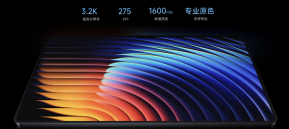
4. High Brightness (700 nits – 1000 nits)
What is it? A measure of the light emitted by the display. A “nit” is the standard unit of luminance.
Working Principle: Standard screens output 200-300 nits. Industrial sunlight readable rugged tablets push LED backlights to output 700 to over 1000 nits.
Key Advantage: Ensures complete readability in high-ambient light environments, such as direct midday sun or under intense factory lighting.
5. Full Lamination (Optical Bonding)
What is it? The process of using Optically Clear Adhesive (OCA) or Liquid Optically Clear Adhesive (LOCA) to bond the touch panel directly to the LCD display.
Working Principle: Traditional screens have an air gap between the glass and the display panel. Full lamination removes this air gap.
Key Advantage: Eliminates internal light reflection, increasing light transmittance and contrast. Crucially, it seals the screen, preventing dust and moisture (condensation) from entering, thus enhancing structural durability.
6. Anti-Glare (AG) Technology
What is it? A surface treatment applied to the outer layer of the screen glass.
Working Principle: Utilizing micro-structure etching or nanoparticle coatings, AG technology transforms direct, harsh specular reflection (mirror-like glare) into diffuse reflection (scattered light).
Key Advantage: Prevents blinding glare from sun or overhead lights, preventing eye strain and ensuring continuous screen visibility.
7. Color Display (16.7 Million Colors)
What is it? The color depth capability of the panel. 16.7M colors represents an 8-bit color depth (256 shades of red, green, and blue).
Working Principle: Allows the device to render complex gradients and true-to-life colors without banding.
Key Advantage: Vital for medical imaging (via a rugged medical tablet) or industrial automated optical inspection (AOI), where precise color differentiation is required to identify defects.
8. High Refresh Rate
What is it? The number of times per second the screen updates its image, measured in Hertz (Hz).
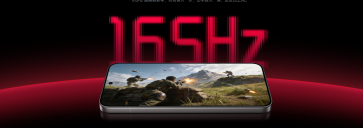
Working Principle: Standard displays are 60Hz. High-refresh displays operate at 120Hz, 144Hz, or up to 240Hz.
Key Advantage: Significantly reduces motion blur and screen tearing. UI interactions feel instantaneous, which is critical for rapidly changing visual data streams or fast-moving map rendering.
Reduces eye fatigue; improves data entry accuracy in bright areas.
Aspect Ratio
Strictly 16:9
16:10 / 4:3 / 16:9
Ensures software compatibility; reduces time spent scrolling.
Feature-to-Business Value Analysis
In enterprise hardware procurement, specifications only matter if they drive business outcomes. By mapping technical features to operational benefits, organizations can build a concrete business case for deploying a windows rugged tablet or a vehicle mount computer.
Table 2: Feature-to-Benefit Table
Feature
Technical Advantage
Operational Benefit
Large Screen (10-15.6″)
Increased visual real estate.
Operators can run dual-window apps (e.g., schematics + inventory system), eliminating app-switching time.
FHD 1080p Resolution
High pixel density; sharp text.
Reduces misinterpretation of complex data (e.g., wiring diagrams), lowering error rates.
1000 Nits Brightness
Overcomes ambient sunlight.
Field technicians maintain 100% operational capacity outdoors, without seeking shade to read data.
The true value of advanced display technology is realized when deployed in specific industrial workflows.
1. Manufacturing & Industry 4.0
Pain Point: Factory floor operators deal with bright overhead lighting, airborne dust, and legacy machine control software that requires specific display proportions.
Solution: Deployment of a 15.6 inch industrial panel PC featuring an Anti-Glare screen and 4:3 or 16:10 aspect ratio.
Outcome: The AG coating cuts factory light glare. The aspect ratio ensures legacy SCADA interfaces display correctly without stretching.
Operational Impact: Higher equipment utilization and improved operational efficiency on the factory floor.
2. Logistics & Warehouse Automation
Pain Point: Forklift operators driving a vehicle computer move between freezing cold storage and warm, humid loading docks, causing standard screens to instantly fog internally.
Solution: Implementing a 10 inch android vehicle tablet with Full Lamination technology.
Outcome: The elimination of the air gap prevents internal condensation completely.
Operational Impact: Eliminates the 10-15 minutes of downtime per forklift per shift previously spent waiting for screens to clear, compounding into massive annual cost savings.
3. Field Service Mobility
Pain Point: Technicians repairing power grids or cellular towers work in direct, blinding sunlight, making standard screens unreadable.
Solution: Equipping teams with an 8 inch rugged tablet or rugged handheld scanner featuring 1000 nits brightness and Full Lamination.
Outcome: Technicians can instantly read repair manuals and input maintenance logs without covering the screen or straining their eyes.
Operational Impact: Faster data collection, increased first-time fix rates, and significant productivity gains.
4. Public Safety & Utilities
Pain Point: First responders and utility workers need to view complex, high-resolution geographic information system (GIS) maps in rapidly moving vehicles.
Solution: A 12 inch rugged windows laptop with FHD resolution and high refresh rates.
Outcome: Maps render fluidly without tearing, and fine topological lines are crisp and clear.
Operational Impact: Accelerated decision-making during critical response scenarios, reducing risk and improving public safety.
Table 4: Application Scenario Table
Industry
Primary Form Factor
Critical Screen Feature
Direct Outcome
Warehousing
Vehicle Mount Computer
Full Lamination
Zero internal condensation in cold-chain logistics.
Field Service
Rugged Android Tablet
1000 Nits Brightness
100% sunlight readability.
Manufacturing
Industrial Touch Panel PC
16:10 / 4:3 Ratio
Perfect SCADA/HMI software compatibility.
Healthcare
Rugged Medical Tablet
16.7M Colors (FHD)
High-fidelity medical imaging and patient data rendering.
ROI and Operational Impact
Evaluating the Return on Investment for advanced display technologies requires looking beyond the initial purchase price.
Table 5: ROI Table
Cost Category
Impact of Industrial Display Tech
Long-Term ROI Effect
Deployment Costs
Right-sizing screens (e.g., 4:3 for legacy apps) prevents the need for costly software reprogramming.
High ROI: Saves thousands in software developer hours.
Maintenance Costs
Full Lamination seals out dust and moisture, the two highest causes of screen failure.
High ROI: Reduces replacement cycles and IT support tickets.
Labor Efficiency
Sunlight readable/AG screens prevent workers from wasting time fighting glare.
High ROI: Recoups lost man-hours, increasing daily task volume per worker.
Expert Recommendation: > When calculating TCO for enterprise mobility, factor in the “cost of frustration.” A worker losing just 5 minutes a day struggling to read a dim screen equates to over 20 hours of lost productivity per employee, per year. Investing in an industrial rugged tablet with a 700+ nit AG display pays for itself through recovered labor time alone.
Industry Best Practices
To ensure successful deployment of industrial mobile computing, organizations should adhere to the following best practices regarding display technology:
Audit Environmental Lighting: Measure ambient lux levels in deployment zones before procurement. Environments exceeding 10,000 lux require displays of at least 700 nits.
Match Ratio to Software: Audit your existing ERP, WMS, or SCADA software. If it is legacy software designed for square monitors, prioritize 4:3 or 16:10 screens to avoid UI distortion.
Prioritize Lamination in Humid Zones: If devices will cross temperature thresholds (e.g., indoors to outdoors, or warehouse to cold storage), Full Lamination is non-negotiable to prevent moisture failure.
Consider Color Depth for Inspection: For quality assurance operations, mandate 16.7 million color displays to ensure human or machine-assisted visual inspections are highly accurate.
Future Trends
As industrial mobility evolves, display technologies will integrate tightly with emerging macro-trends:
Edge AI & Smart Manufacturing: As Edge computing pushes AI directly to the industrial pc, screens will need higher resolutions and refresh rates to render real-time AI-driven machine vision data without latency.
Augmented Reality (AR) Integration: Rugged tablets acting as AR viewfinders for equipment maintenance will demand 120Hz+ refresh rates and ultra-high brightness to overlay digital schematics onto physical machinery seamlessly.
Industry 4.0 Digital Twins: The rendering of complex 3D digital twins on the factory floor will push the demand for 15.6-inch to 21.5-inch industrial panel pcs with pristine FHD color accuracy and multi-touch capabilities.
Frequently Asked Questions
1. What is the difference between a consumer tablet screen and a rugged tablet screen? Consumer screens prioritize thinness and aesthetic gloss, typically peaking at 300-400 nits. A best rugged tablet display is engineered for survival and utility, featuring full optical bonding, heavy anti-glare coatings, thickened glass, and brightness levels between 700 to over 1000 nits for outdoor readability.
2. Why is full lamination so important for a vehicle-mounted computer? Forklifts frequently move between different temperature zones (e.g., loading docks to freezer warehouses). Traditional screens have an air gap that allows moisture to condense inside the glass, blinding the screen. Full lamination removes this gap, making internal fogging impossible.
3. Does a higher refresh rate matter for a rugged laptop used in field service? Yes. While often associated with gaming, a 120Hz high refresh rate makes UI navigation smoother and drastically reduces screen tearing when panning across large digital maps, architectural diagrams, or scrolling through massive inventory lists.
4. When should I choose a 16:10 aspect ratio over a 16:9 ratio? Choose 16:10 for an industrial touch monitor when your primary task is data-heavy. The extra vertical space allows operators to view more rows of an Excel sheet, database, or lines of code, reducing the constant need to scroll and improving workflow efficiency.
5. What is the minimum brightness needed for an outdoor rugged handheld? For true daylight visibility without eye strain, an android rugged handheld must have a minimum of 500 nits, though 700 to 1000 nits is highly recommended for direct, midday sunlight operations.
6. How does anti-glare (AG) technology actually improve worker safety? AG technology diffuses harsh light reflections. In industrial settings, temporary blindness from a screen glare reflection (e.g., from an overhead crane light or the sun) can disorient a worker or cause them to misread critical safety parameters on a machine controller.
7. Is an FHD resolution (1080p) necessary for an 8-inch rugged tablet? For basic inventory scanning, HD (720p) is sufficient. However, if the 8-inch tablet is used to view complex wiring diagrams, medical imagery, or dense technical manuals, FHD is required to ensure small text and lines remain sharp and legible.
8. How do these screen technologies affect the overall lifecycle of an industrial PC? Technologies like optical bonding (full lamination) fundamentally increase the structural integrity of the display, making it more resistant to vibration and impact. By preventing dust and moisture ingress, the lifespan of the device is significantly extended, driving down the total cost of ownership.
Key Takeaways
Display Dictates Productivity: High-brightness (1000 nits) and Anti-Glare screens directly correlate to faster data collection and fewer errors in outdoor or brightly lit environments.
Condensation is a Screen Killer: Full lamination (optical bonding) is essential for warehousing and logistics mobility to prevent internal screen fogging.
Resolution and Color Drive Accuracy: FHD resolution and 16.7M color depth are critical for industrial inspection, medical applications, and reading complex schematics.
Ratio Impacts Efficiency: Utilizing 16:10 or 4:3 aspect ratios ensures optimal software compatibility and reduces UI navigation time.
TCO Over Initial Price: Investing in premium industrial display specifications reduces equipment downtime, lowers replacement rates, and ultimately delivers a superior ROI.
Conclusion
The successful digitalization of the industrial edge relies heavily on the quality of the interface connecting the worker to the data. Display specifications—from nits of brightness to optical lamination—are not mere marketing terms; they are functional engineering solutions designed to overcome strict environmental challenges. By strategically matching screen technologies like Anti-Glare, FHD resolution, and 16:10 aspect ratios to specific workflows in logistics, manufacturing, and field service, enterprises can drastically reduce downtime, improve data accuracy, and secure long-term operational efficiency.
As a leader in industrial mobility,Emdoor and Onerugged recognize that a reliable, hyper-visible screen is the foundation of field productivity. By engineering rugged computing solutions with purpose-built display technologies, Emdoor ensures that enterprise digital transformation remains resilient, visible, and effective, no matter the environment.